
Tagging Web Sites in flickr
 |
| Flickr Tag Cloud- All Users |
Flickr allows you to use tags to organize and share digital photos (learn more...) For this activity, we will explore how people tag at a personal level (and then explore beyond). I have uploaded about 40 images to a shared flickr account, but have not tagged them descriptively. Your task is to look at a few photos, and contribute tags- and we will watch how the tags evolve.
- Log in to flickr http://flickr.com with username cogdogroo and password XXXXXXXXX (provided in workshop)
- Go to the pictures I have organized with the tag (the only one used) of tagme (get it?) http://flickr.com/photos/cogdogroo/tags/tagme/
- Click on any image that grabs your interest.
- On the right side, look under the "Tags" headiing, and click the "Add a Tag" link. Add one tag per line, and add as many as you feel like.
- Tag at least 3 more photos
- Watch how the tag cloud begins to evolve at http://flickr.com/photos/cogdogroo/tags/ - here is a peek before these workshops even were created:
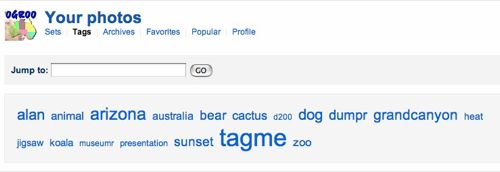
Flickr Tag Cloud for CogDogRoo - Click any tag, such as Arizona (which shows only photos from this account tagged with "arizona"), click the left side link to See all public photos tagged with arizona -- now explore from there!